
FairOS: Audit
Know what happened.
Know where to look next.
Concessions sales, booth comparisons and mapped activity—built around the way fairgrounds operate. See where sales happen and how activity changes through the day.
One operational picture
Your systems capture activity. Audit makes it understandable.
Bring Concessions reports into day and hour views, booth comparisons and mapped 15-minute activity.
Bring Concessions reports into context by booth, time and location.
Concessions overview
Start with the signal, then follow the detail.
Compare booth sales, daily transaction totals and activity across the grounds. Transaction-detail coverage is partial.
Booth comparisons
Compare Concessions booth source gross and aggregate transactions.
Location analysis
Explore saved Concessions booth positions on the fairgrounds map.
Day and hour views
Review Concessions activity by day and hour.
Mapped intervals
Follow booth sales and transaction counts in 15-minute intervals.
Sales Over Time
Review sales activity in context.
Explore 72 Concessions booths across the fairgrounds and compare activity through four Day 9 intervals.
Cedar Vale Fairgrounds Map
Cedar Vale · Fictional demo data · Day 9
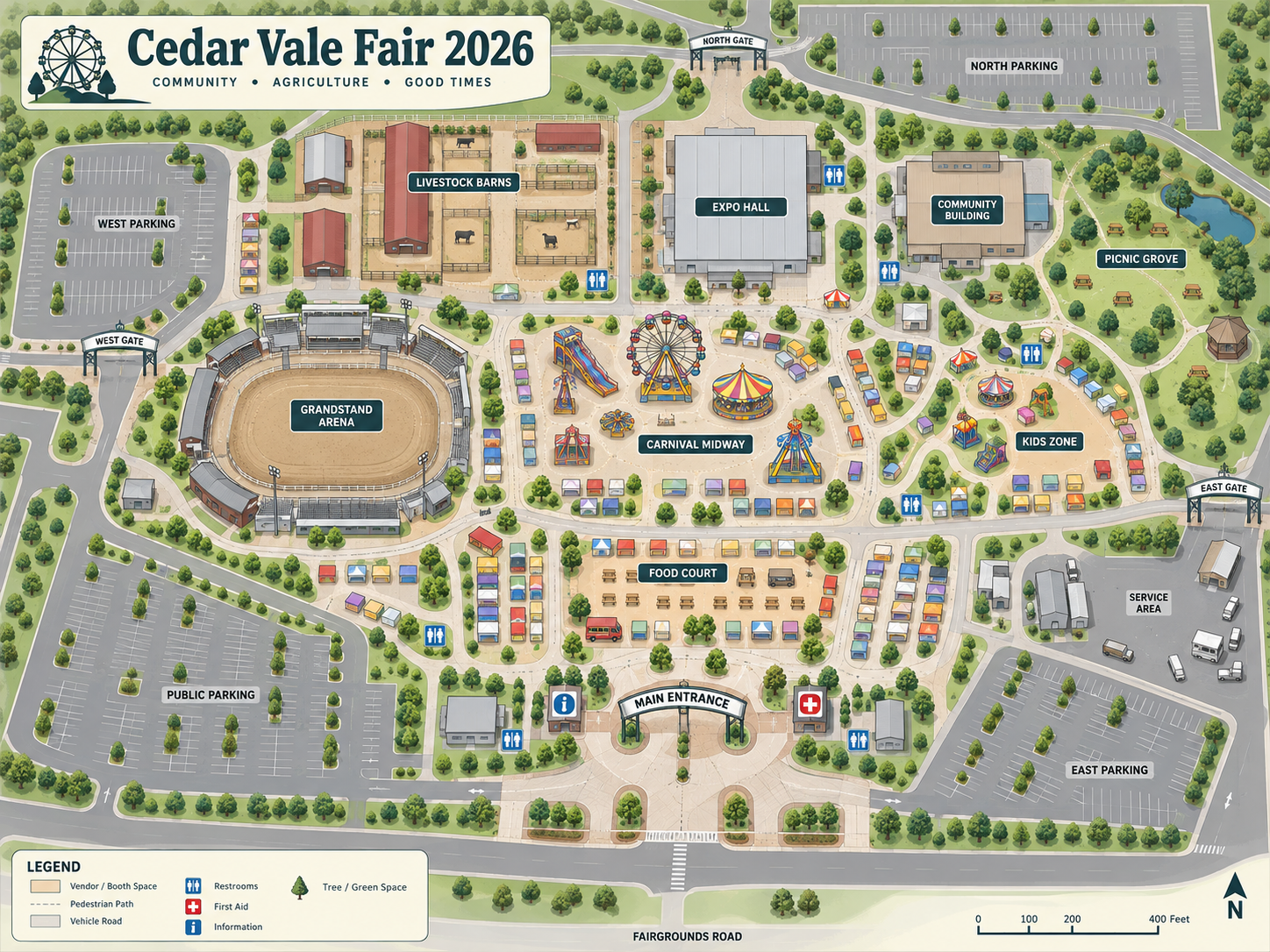
Concessions · 72 placed with data · 1:15–1:30 PM
Darker blue means higher booth gross within the selected interval. Missing reports are shown as unknown.
This interactive preview uses recorded fictional demo data, not a live feed or audited results. Activity is shown in 15-minute intervals.
Source gross is before discounts, refunds, tax and tips. These four booths are part of the 72 reporting booths, not the full daily total.
Vendor and booth analysis
Compare performance in context.
Compare daily booth sales and transaction totals. The Cedar Vale preview highlights the top four booths for Day 9.
- Concessions booth comparisons
- Day and hour views
- Location-based performance
- Year-over-year by day-number
Concessions questions
The numbers are only useful if they tell you where to look.
Compare activity by booth, time and day-number to find the patterns that matter to your team.
Which booths lead in daily source gross?
Where is Concessions activity concentrated?
How does activity change between intervals?
How do day-number comparisons put sales in context?
Current focus and roadmap
Concessions in focus.
Explore booth comparisons, day and hour views, and mapped activity in the current Concessions product.
Compare booth sales, day and hour views, and mapped activity.
Day 9: 72 booths and four 15-minute intervals.
Review year-over-year activity by event day, beyond this Day 9 preview.
Admissions, parking, bars, settlement and broader Management views are in development.
A clearer view of your operation
Bring your operation into view.
See how FairOS: Audit can help your team review performance with greater clarity and confidence.